Inkjet vs Laser vs Thermal Labels: Choosing the Right Paper
Not all label paper works with every printer. Learn how inkjet, laser, and thermal labels differ, and find out which option fits your project, budget, and printer type.
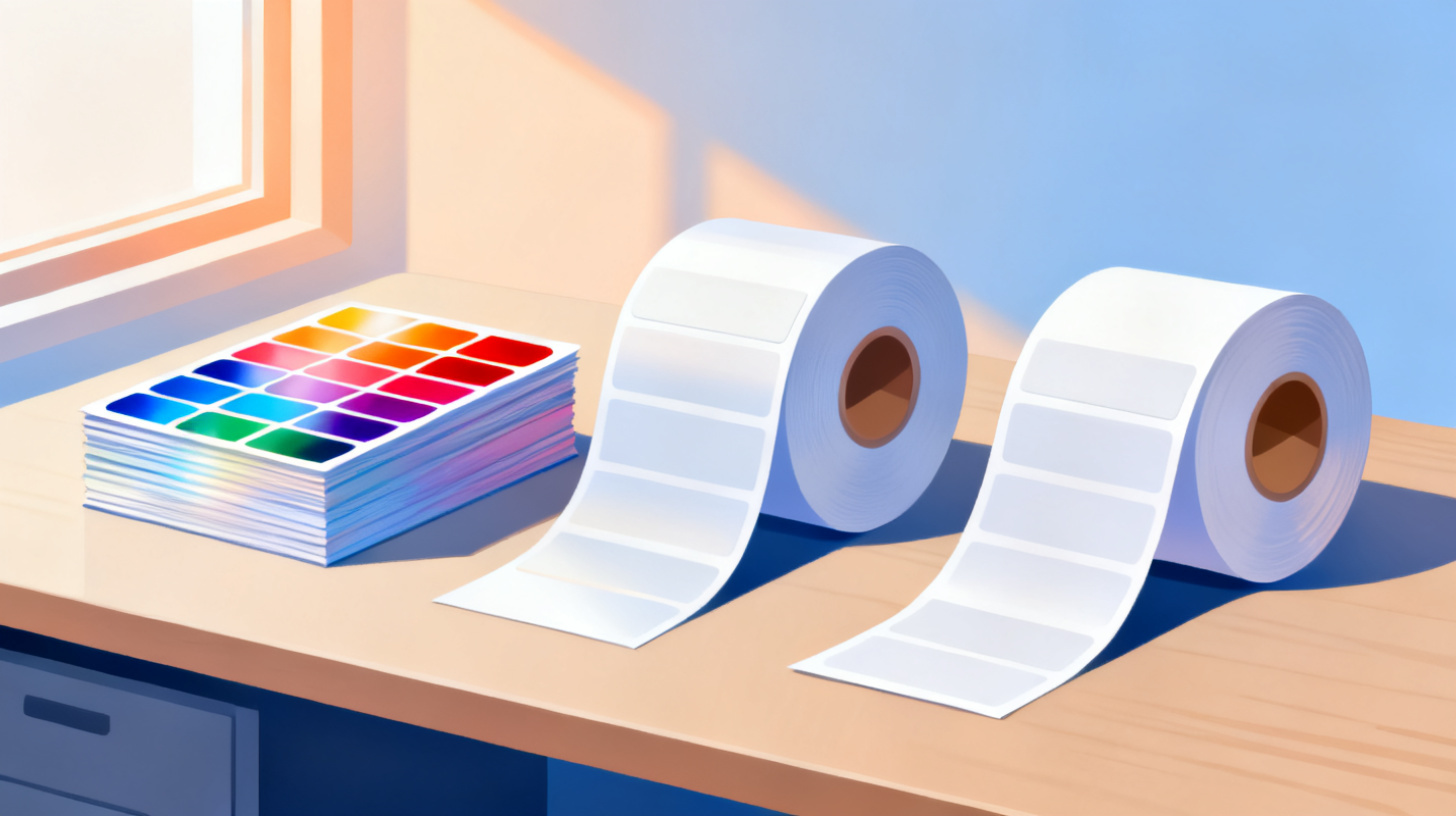
You've designed the perfect label. The layout is clean, the colors pop, and everything lines up just right. Then you hit print, and the ink smears across the page like a toddler's finger painting. What went wrong? Chances are, you grabbed the wrong label paper for your printer.
This is one of the most common and most frustrating mistakes in label printing. The truth is, not all label paper works with every printer. Inkjet, laser, and thermal printers each use fundamentally different technologies to put images on a surface, and the label sheets you feed through need to match that technology. Use the wrong combination, and you'll end up with smudged text, faded barcodes, peeling adhesive, or even a damaged printer.
Whether you're printing shipping labels for your small business, organizing your pantry, or creating product labels for a craft shop, understanding the differences between inkjet, laser, and thermal label paper will save you time, money, and a lot of frustration. And once you know which paper your printer needs, you can find a matching template in the FoxyLabels Template Catalog to start printing right away.
Let's break down each printing method, compare them side by side, and help you pick the best option for your specific needs.
How Inkjet, Laser, and Thermal Printing Actually Work
Before you can pick the right label paper, it helps to understand what's happening inside your printer. Each technology applies images to paper in a completely different way, and those differences dictate what kind of label stock will produce the best results.
Inkjet Printers and Label Paper
Inkjet printers work by spraying tiny droplets of liquid ink onto the surface of the paper. The ink is absorbed into the paper's coating, which is how the image forms. This means inkjet label paper needs a special absorbent coating that captures the ink quickly and holds it in place without letting it bleed or spread.
Inkjet label paper tends to have a slightly porous, matte, or semi-gloss surface designed to wick up that liquid ink. If you've ever accidentally printed on plain copy paper with an inkjet and noticed the colors looked dull or the edges looked fuzzy, that's because the paper wasn't optimized to absorb ink efficiently.
The strengths of inkjet label printing are impressive. Inkjet printers excel at reproducing vibrant, full-color images. If your labels include photographs, detailed logos, or rich gradients, an inkjet printer paired with high-quality inkjet label sheets will give you beautiful results. Inkjet printers are also the most affordable option upfront, making them a popular choice for home users and small businesses that don't print in massive volumes.
However, there are tradeoffs. Standard inkjet labels are vulnerable to water and moisture. Because the ink is liquid-based, a splash of water or even high humidity can cause the ink to smear or run. If you need waterproof labels (think beverage bottles, outdoor products, or frozen food containers), you'll need to specifically purchase waterproof inkjet label paper, which has a synthetic or polyester face material that resists moisture.
Inkjet printers are also slower than laser printers for large batches. If you're printing hundreds of shipping labels a day, you might find yourself waiting.
Laser Printers and Label Paper
Laser printers use a completely different approach. Instead of liquid ink, they use a fine powder called toner. The printer uses static electricity to attract toner particles onto the paper in the shape of your design, then passes the paper through a fuser that applies heat (usually around 200°C or 400°F) to melt the toner and bond it permanently to the surface.
This heat-based process is the reason you absolutely cannot use inkjet label paper in a laser printer. Inkjet label adhesive is not designed to withstand high temperatures. Put inkjet sheets through a laser printer, and the adhesive can melt, ooze onto the internal rollers, and cause serious damage that might require professional repair. Always check the packaging to confirm your labels are laser-compatible.
Laser label paper has a smooth, heat-resistant coating that allows toner to fuse cleanly to the surface. The result is text and graphics that are crisp, smudge-resistant from the moment they come out of the printer, and naturally more water-resistant than standard inkjet prints (since toner is plastic-based rather than water-based).
For offices and businesses that print high volumes of text-heavy labels like shipping labels, address labels, file folder labels, or barcodes, laser printers are often the better choice. They're fast, the per-page cost drops significantly at higher volumes, and the prints are durable right out of the box. A popular choice for shipping is the Avery 5163 format, and you can grab a free Avery 5163 Shipping Label Template to use directly with Google Docs and Google Sheets.
The downside? Color laser printing can look slightly less vibrant than inkjet for photo-quality images. Laser printers also cost more upfront, though the long-term cost per print is typically lower.
Thermal Printers and Label Paper
Thermal printing is the odd one out because it eliminates ink and toner entirely. There are two types of thermal printing: direct thermal and thermal transfer.
Direct thermal printers use a heated print head that activates a chemical coating on the label paper itself. The heat turns the coating dark, creating the image. This is the technology behind most receipt printers and many shipping label printers (like those from DYMO or Rollo). Direct thermal labels require no ink, no toner, and no ribbon. You just load the special thermal paper and print.
The catch? Direct thermal labels fade over time, especially when exposed to heat, sunlight, or friction. That receipt you stuffed in your pocket that turned blank after a few weeks? Classic direct thermal fade. This makes direct thermal ideal for short-term applications like shipping labels, name badges, and receipts, but a poor choice for anything that needs to last.
Thermal transfer printers use a ribbon coated with wax, resin, or a combination of both. The print head melts the ribbon material onto the label surface. Thermal transfer labels are extremely durable, resistant to chemicals, moisture, UV light, and abrasion. They're the go-to for industrial applications, asset tracking, laboratory labels, and outdoor use. However, thermal transfer printers and supplies cost significantly more.
Thermal label paper comes in rolls rather than sheets, and the labels are typically limited to monochrome printing (black on white, though some thermal transfer setups can print in limited colors). If you need full-color labels, thermal isn't the right path.
Comparing Label Paper: Which One Fits Your Project?
Now that you understand the technology behind each printing method, let's compare them across the factors that matter most when you're deciding which label paper to buy.
Print Quality and Color
If color quality is your top priority, inkjet label paper is the clear winner. Inkjet printers can reproduce millions of colors with smooth gradients, making them ideal for product labels, branding materials, and anything with photographs or complex artwork.
Laser label sheets deliver excellent text sharpness and solid color blocks, but subtle gradients and photo reproduction won't quite match a good inkjet setup. For text-heavy labels like addresses, barcodes, and file folders, you honestly won't notice the difference, and the extra durability of laser prints is a bonus.
Thermal labels are limited to monochrome in most cases. They produce sharp barcodes and clean text, but don't expect any color capability from a standard thermal setup.
Feature | Inkjet Labels | Laser Labels | Thermal Labels |
Color range | Full color, vibrant | Full color, good | Monochrome only |
Text sharpness | Very good | Excellent | Excellent |
Photo quality | Best | Good | N/A |
Barcode quality | Good | Very good | Excellent |
Durability and Water Resistance
Standard inkjet labels are the least durable of the three. The liquid ink can smear if it gets wet, and prints may fade in direct sunlight over time. Waterproof inkjet labels exist, but they cost significantly more than standard sheets.
Laser labels are inherently more durable because toner is a plastic-based material that resists water, smudging, and moderate abrasion. For everyday labeling tasks, laser prints hold up well without needing any special paper.
Thermal transfer labels are the durability champions. With the right ribbon and label material combination, they can withstand chemicals, extreme temperatures, UV exposure, and heavy handling. Direct thermal labels, on the other hand, are the least durable of all options and should only be used for temporary applications.
Cost Considerations
Cost is rarely straightforward because you need to consider the printer cost, the consumables (ink, toner, or ribbons), and the label paper itself.
Inkjet printers are the cheapest to buy, often available for under $100. But ink cartridges add up fast, especially if you're printing full-color labels in volume. Inkjet label sheets are moderately priced.
Laser printers cost more upfront (typically $150 to $500 for a good one), but toner cartridges last much longer than ink cartridges, bringing the per-label cost down significantly at higher volumes. Laser label sheets are priced similarly to inkjet sheets.
Thermal printers vary widely. A basic direct thermal label printer for shipping runs $100 to $300, and the ongoing cost is just the label rolls (no ink or toner to buy). This makes direct thermal the cheapest option per label for monochrome printing. Thermal transfer systems cost more because you also need ribbons, but the cost is justified for industrial and long-term labeling needs.
Cost Factor | Inkjet | Laser | Direct Thermal | Thermal Transfer |
Printer cost | Low | Medium-High | Medium | High |
Consumable cost | High (ink) | Medium (toner) | None | Medium (ribbons) |
Label paper cost | Medium | Medium | Low-Medium | Medium-High |
Best value at | Low volume | High volume | Shipping labels | Industrial use |
Matching Your Label Paper to Your Specific Use Case
Knowing the technical differences is one thing. Knowing which option to choose for your project is another. Here's a practical breakdown of common labeling scenarios and which paper type works best for each.
Shipping and Mailing Labels
For shipping labels, you have two strong options: laser labels or direct thermal labels.
If you already own a laser printer and you're shipping a moderate number of packages (say, 10 to 50 per day), laser label sheets are convenient and cost-effective. The prints are smudge-resistant and scannable right away. Formats like the Avery 5163 (which gives you 10 labels per sheet) are among the most popular for shipping, and you can learn more about setting these up in our guide on how to find and print label templates in Google Docs.
If you're running an e-commerce operation and printing 50 or more shipping labels daily, a dedicated direct thermal printer is the way to go. No ink to replace, fast output, and shipping labels don't need to last forever since they just need to survive the journey from your door to the customer's.
Inkjet printers can print shipping labels too, but the vulnerability to moisture makes them a riskier choice. A single rain-soaked package could render the label unreadable.
Product Labels and Branding
Product labels demand visual impact. If your labels include your logo, product photography, or detailed brand colors, inkjet label paper on a quality inkjet printer will give you the most visually appealing results.
For products exposed to moisture (like soaps, candles, beverages, or cosmetics), invest in waterproof inkjet label paper with a glossy or matte laminate finish. The extra cost per sheet is worth it when your brand image is on the line.
If your product labels are simpler in design, perhaps a logo with minimal color and mostly text, laser labels can be a perfectly good (and more durable) alternative.
Organization and Home Use
Pantry labels, storage bin labels, file folders, binder spines, and general home organization projects don't require anything fancy. Whatever printer you already own will do the job.
If you have an inkjet printer, buy inkjet label sheets. If you have a laser printer, buy laser label sheets. The key is simply matching the paper to your printer. For these everyday uses, the cheapest compatible label paper will work perfectly fine.
One tip: if you're labeling things in a kitchen, bathroom, or garage where moisture is present, lean toward laser labels for their natural water resistance, or use a clear waterproof overlay on your inkjet labels.
Barcodes and Inventory Management
Barcodes need to be sharp and consistently scannable. Both laser and thermal printers excel at producing clean barcodes. The high contrast and edge sharpness of both technologies ensure that barcode scanners can read them reliably.
For warehouses and retail environments where labels are scanned hundreds of times, thermal transfer labels are the gold standard. For office or small business inventory tracking, laser label sheets are more than adequate.
Inkjet can work for barcodes in a pinch, but the slight ink bleed at the edges of bars can occasionally cause scanning issues, especially with very small or high-density barcodes.
Practical Tips for Getting the Best Results
Regardless of which label paper and printer combination you choose, a few universal best practices will help you get clean, professional results every time.
Always verify compatibility. This cannot be overstated. Every package of label paper clearly states whether it's designed for inkjet, laser, or both. Some premium label sheets are dual-purpose, but they cost more. When in doubt, stick with paper designed specifically for your printer type.
Use the right template. Printing labels without a template is a recipe for misaligned text and wasted sheets. Templates ensure your content lands perfectly within each label's boundaries. The FoxyLabels Template Catalog has hundreds of templates compatible with Avery, OnlineLabels, and other major brands, so you can find the exact format you need for your label sheets.
Run a test print on plain paper first. Before loading your label sheets, print your design on a regular piece of paper. Hold it up against the label sheet to check alignment. This simple step prevents wasting expensive label stock on misaligned prints.
Adjust your print settings. For inkjet labels, select the "high quality" or "best" print setting for richer colors. For laser labels, make sure your printer's media type is set to "labels" if the option exists, as this adjusts the fuser temperature for better adhesion. For thermal labels, adjusting the darkness setting can improve barcode readability.
Store label paper properly. Keep label sheets in their original packaging, stored flat in a cool, dry place. Humidity can cause sheets to curl or the adhesive to weaken. Thermal label rolls should be kept away from heat sources and direct sunlight to prevent premature activation of the chemical coating.
Consider your print volume. If you're printing labels occasionally (a few sheets per month), an inkjet printer you already own is perfectly fine. If you're scaling up to hundreds of labels per week, the per-label economics of a laser printer or direct thermal printer will save you real money over time. Check out FoxyLabels Pricing Plans if you're ready to set up a streamlined label printing workflow.
Don't forget the finish. Label papers come in matte, glossy, and clear finishes. Matte is best for text-heavy labels and writing surfaces. Glossy makes colors pop and gives a premium feel. Clear labels are great for a "no label" look on glass or transparent packaging. Choose the finish that matches your project's needs, not just the one that looks fanciest in the store.
Choosing the right label paper isn't complicated once you understand the core principle: match the paper to the printer. Inkjet paper for inkjet printers, laser paper for laser printers, thermal paper for thermal printers. From there, consider your specific needs around color, durability, volume, and budget, and you'll land on the perfect combination.
Ready to start printing? Browse the FoxyLabels Template Catalog to find a template that matches your label sheets, load up your paper, and print with confidence.
Install Foxy Labels
Get started with Foxy Labels and create perfectly aligned labels in minutes.
Get Started